
Combine PDFs for Invoices, Taxes, Audits

For small businesses, keeping financial records organized can be a daunting task, especially during fiscal season or audits.
One effective strategy is to merge invoices and receipts, creating a streamlined system that saves time, reduces errors, and ensures compliance.
In this article, we will share practical tips for combining these statements, helping entrepreneurs gain clearer observations into their finances and simplify reporting.
Tips to Combine PDF Invoices and Receipts for Taxes and Audits
Maintaining organized materials is crucial for enterprises to guarantee abidance and gain actionable insights. Merging PDFs into unified digital papers decreases mistakes, improves transparency, and allows for faster reconciliation.
1. Meet Regulatory Standards
Small enterprises must provide verifiable proof of every transaction.
By joining PDF files with corresponding receipts, companies create a clear audit trail. Comprehensive documentation supports accurate assessment filings and minimizes the risk of penalties during inspections.
2. Employ Modern Tools
Accounting platforms such as QuickBooks, Xero, or Zoho Books allow seamless integration of orders and supporting slips.
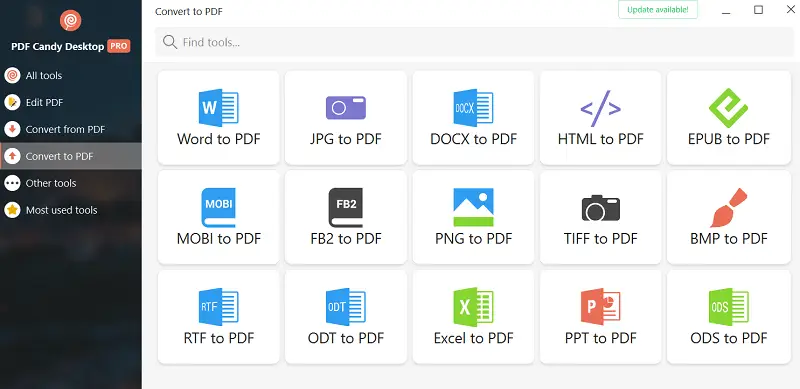
Papers can be turned into searchable formats using a PDF converter, enabling character recognition of amounts, dates, and contractor details, which diminishes manual errors.
3. Digitize Records with PDF Compilers
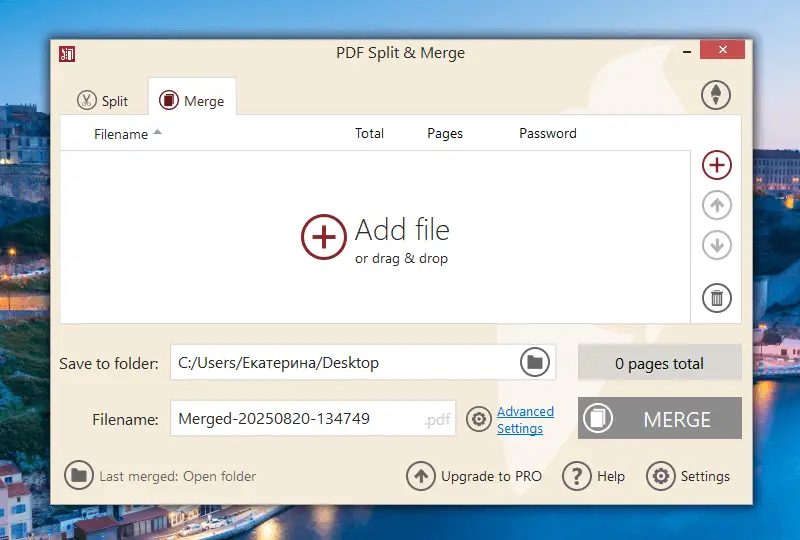
Physical vouchers might deteriorate or be misplaced. Scanning them into high-resolution files preserves details. A PDF combiner helps unify multiple JPGs or text items into single, easily accessible documents. Join PDFs and organize logs by:
- Transaction type: payroll, travel, inventory, or utilities
- Provider: simplifies reconciliations and reporting
- Fiscal period: aligns with quarterly or annual tax submissions
PDF metadata tagging further improves searchability.
4. Adopt Standard Structures
Consistent naming and folder hierarchy reduce confusion and speed up retrieval. A recommended format: YYYY-MM-DD_Client_Vendor_InvoiceNumber_Status.pdf.
Create parallel folder structures with PDF merges:
- Invoices/ > subdivided by year and month
- Receipts/ > same hierarchy, ensuring matched receipts are in corresponding folders
Linking files with unique identifiers (numbers or IDs) allows automated cross-referencing.
5. Resolve Exceptions
Routine reconciliation assures financial statements reflect reality. A three-way match compares:
- Charge slips > billed amount
- Fee confirmations > proof of payment
- Bank statement > verified deposit
Flag discrepancies immediately, investigate causes, adjust entries according to GAAP or IFRS principles, and merge invoices in PDF.
6. Backup Documents
Digital records must be secured and redundantly stored. Consolidating multiple files and implementing several layers of backups facilitate both organization and easy retrieval.
Apply:
- Clouds with version history (Google Drive, Dropbox Business, or web accounting platforms)
- Encrypted local storage for redundancy
This ensures that, in case of data loss, you can provide complete and tamper-proof evidence.
7. Train Staff
Small business staff involved in invoicing, settlement processing, or bookkeeping should be trained in proper record management:
- Standard operating procedures for scanning, merging PDFs, and naming files
- Protocols for reviewing and reconciling transactions
- Awareness of tax requirements and audit triggers
Periodic training minimizes human error and establishes an internal control framework that reinforces compliance.
8. Leverage Consolidated Records for Insights
Knowing how to combine two invoices and receipts not only aids observance but also enables strategic analysis. Corporations can track:
- Client payment behavior
- Vendor cost fluctuations
- Cash flow projections
Best merge PDF utilities for small businesses: table
| Tool | Platform(s) | Key Features | Ideal Use |
|---|---|---|---|
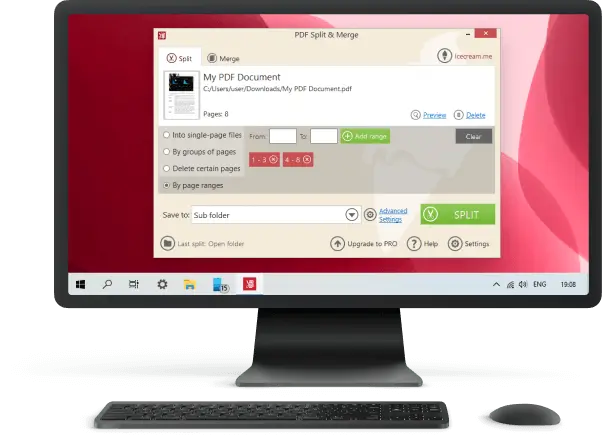
| Icecream PDF Split & Merge | Windows | Divide and combine two invoices, reorder pages, manage password-protected files, built-in viewer | Efficient local organization |
| Soda PDF | Windows, macOS, Web | Convert, merge PDF receipts, annotate, and store materials in the cloud | All-in-one solution |
| ILovePDF | Web | Unite, separate, compress, and transform PDFs, integrates with Google Drive/Dropbox | Quick handling |
| PDFsam Basic | Windows, macOS, Linux | Split, join PDFs, rotate, and mix pages, supports large files | Open-source desktop utility |
| SmallPDF | Web, Windows, macOS | Combining PDFs, compressing, and PDF editing, cloud storage support | Flexible toolkit |
| Adobe Acrobat DC | Windows, macOS | Edit, merge JPG to PDF, sign, and archive | Professional document handling |
Conclusion
Organizing invoices and receipts efficiently is essential for small institutions seeking simplified preparation for taxes and audits.
By digitizing statements and utilizing dependable PDF converters, owners can consolidate different file formats into a single, easily retrievable archive.
Expert Tech Writer
