
Best Tips for Offline Reading for Travelers
Offline reading for travelers transforms idle moments on planes, trains, or in distant corners of the world into chances for discovery, reflection, and adventure.
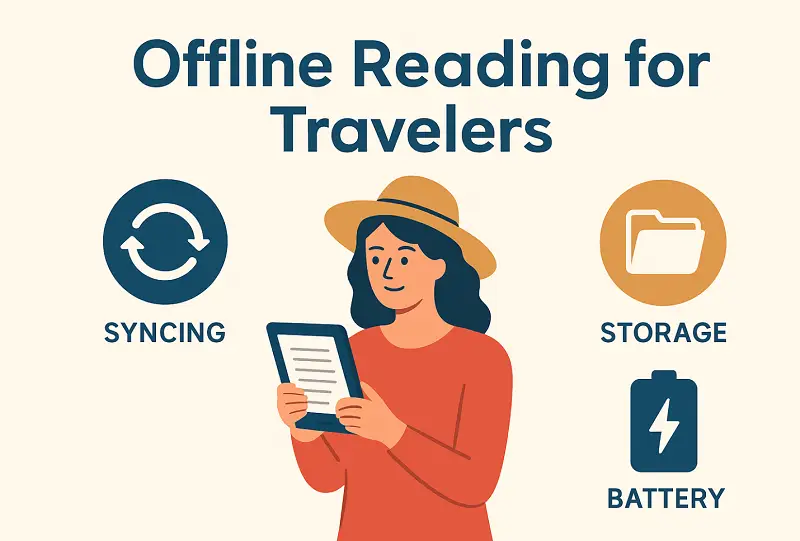
By mastering efficient syncing, you’ll ensure fresh material is always on hand; with clever storage techniques, everything stays tidy and accessible; and with a few power-saving strategies, your device will last far beyond the next charging opportunity.
Here’s how to keep your journeys rich with reading, no signal required.
How to read offline effectively
This combines technical preparation with strategic planning.
Reading offline requires ensuring that all materials—whether eBooks, research papers, or saved articles—remain accessible without an internet connection.
Likewise, using an app that supports full-text search and annotation guarantees smooth study or leisure sessions. Travelers gain an extra advantage by storing not only primary documents but also associated elements like images, charts, and references, guaranteeing complete functionality in airplane mode.
By addressing various technical factors, individuals can achieve a seamless, reliable, and immersive setup. Now, we’ll delve into practical methods for organizing content and maximizing battery life to enhance the experience even further.
Syncing for offline reading
Keeping digital ebooks, notes, bookmarks, and positions aligned between multiple gadgets is crucial for travelers. Proper coordination prevents missing sections, incomplete files, or mismatched highlights when network connectivity is limited.
1. Local Caching
Retaining full copies of articles and associated details on a device when reading offline ensures uninterrupted availability.
- Layered retention. Frequently items are stored in a primary cache, while recently accessed or preloaded material resides in a secondary cache for quicker retrieval.
- Detailed tracking. Reading progress, personal notes, visual marks, embedded images, vector diagrams, tables, and formatting rules remain intact for precise presentation.
- Data validation. Checksums (e.g., SHA-256) identify corruption or incomplete downloads.
2. Incremental File Updates
Transmitting only modified segments in eBook reader reduces the need to resend entire papers.
- Chunked structure. Files are divided into blocks, each verified independently.
- Bandwidth efficiency. Optimizes network usage and accelerates frequent library refreshes.
- Modification tracking. Segments identify block overwriting concurrent changes.
3. Resolving Conflicts
Simultaneous changes on different offline eBook readers can introduce discrepancies.
- Chronological analytics. Vector clocks or Lamport timestamps establish modification order.
- Automated merging. Non-overlapping adjustments integrate seamlessly; overlapping edits may request user intervention.
- Revision history. Complete version logs allow selective restoration or rollback.
4. Multi-Device Uniformity
Ensuring consistent presentation and functionality across platforms creates a smooth offline reading experience.
- Standard formats. EPUB or MOBI for flexible layouts, PDF/A for fixed documents, XFDF for notes.
- Rendering engines. Cross-platform engines maintain visual fidelity, font alignment, and note placement.
- Unified schemas. Guarantees proper tracing of bookmarks, highlights, and reading positions across gadgets.
- Compatibility checks. Validates formatting and annotation placement across different operating systems.
Storage methods for offline reading
For travelers managing extensive digital collections, strategic organization of content is crucial. Adequate allocation, compression, and management ensure rapid gateway, conserve platform memory, and protect against corruption during offline sessions.
1. Multi-Tiered Sorting
Arranging resources in hierarchical layers improves retrieval pace and reduces fragmentation.
- Fast-access layer. Frequently referenced materials are stored in high-speed buffer.
- Categorical arrangement. Sorting by subject, author, or type facilitates navigation.
- Index bases. Lightweight catalogs (JSON, XML, or SQLite) track metadata for efficient search and filtering.
2. Optimization
Reducing the repository footprint without compromising quality improves eBook reader performance and portability.
- Flexible formats. EPUB or MOBI allow assets to adjust to varying screen sizes, diminishing requirements compared to PDFs.
- Lossless encoding. Algorithms like ZIP, LZMA, or WebP minimize size while preserving visual fidelity.
- Font subsetting. Embedding only essential typefaces components prevents unnecessary duplication.
3. Deduplication
Avoiding multiple copies conserves space and maintains library consistency.
- Hash-based detection. SHA-256 or MD5 checks hinder retain of copied resources.
- Incremental snapshots. Only altered sections are saved, shrinking redundant data retention.
- Reference mapping. Several entries can point to a single stored file, enabling offline reading without replicating content.
4. Dynamic Caching
Intelligent management of active and dormant files ensures smooth reading offline without delays.
- Eviction strategies. Algorithms like Least Recently Used (LRU) remove outdated sets to free capacity.
- Predictive fetching. Machine learning models analyze reading patterns to prefetch relevant chapters.
5. External Storage
Utilizing additional memory sources for offline reading apps safeguards reach to large collections.
- Removable media. SD cards or portable drives allow infrequently accessed units to be offloaded while critical items remain local.
- Encrypted cloud mirrors. Backup copies protect against loss without requiring constant connectivity.
- Partitioning schemes. Separating system data, active libraries, and archived resources minimizes accidental corruption.
Battery saving tips for offline reading
Maintaining efficient energy usage is crucial for travelers relying on eBook readers or mobile units without frequent access to charging.
1. Screen Efficiency
The display is the primary consumer of electrical charge.
- Adaptive brightness. Enable automatic adjustment based on surrounding light conditions.
- E-ink preference. Choose e-ink panels for text-heavy materials; they consume minimal current.
- Sleep intervals. Reduce the time before the screen powers down when idle.
- Dark or night themes. Use dark interfaces on OLED or AMOLED to lower draw.
2. Background Operations
Minimizing unnecessary tasks while reading offline preserves charge longevity.
- Task restriction. Limit background processes and automatic synchronization.
- Notification control. Silence alerts and periodic updates.
- Network management. Turn off Wi-Fi, cellular data, or Bluetooth.
- Scheduled caching. Preload documents only when connected to voltage.
3. System Resource Optimization
Efficient allocation of memory and processor cycles decreases consumption.
- Close inactive applications. Free CPU intervals and lower heat generation.
- Low-wattage modes. Enable supply-saving profiles to slow processor speed and suspend non-critical functions.
- Animation reduction. Disable page transitions or interface effects.
4. Charging Protocols
Read offline with proper energy replenishment. This results in long-term performance.
- Partial loops. Avoid full discharges or prolonged 100% states.
- Thermal awareness. Refill in moderate temperatures to prevent efficiency loss.
- Certified plugs. Employ stable voltage and current sources to protect lifespan.
5. Peripheral and Connectivity Control
Streamlining auxiliary consumption extends operational time.
- Disable extras. Switch off external keyboards, lights, or other attachments.
- Airplane mode. Activate during lasting offline sessions to eliminate unnecessary radio activity.
Best offline reading apps for travelers
| Software | Supported Formats | Key Features | Why It’s Ideal |
|---|---|---|---|
| Icecream Ebook Reader | EPUB, MOBI, PDF, FB2, CBR, CBZ, TXT | Full-screen mode, bookmarks, text-to-speech, customizable themes, library organization. | Excellent for laptops; manages large collections and provides uninterrupted offline reading. |
| Kindle | MOBI, AZW, PDF | Extensive library, cross-device replication. | Enables pre-downloading titles and maintaining progress. |
| Apple Books | EPUB, PDF | Ecosystem integration, adjustable display settings. | Best for iOS users; ensures documents remain accessible without network connection. |
| Google Play Books | EPUB, PDF | Multi-device sync, audiobook support. | Provides cohesive acquire to downloaded materials and spoken content. |
| Kobo Books | EPUB, PDF | Store admission, alterable interface. | Lets carry bulk titles offline, perfect for trips without Wi-Fi. |
| Scribd | EPUB, PDF | Broad catalog, audiobook playback. | Offers a wide variety of content for long flights or commuting. |

Conclusion
Travelers gain maximum flexibility when their digital books are prepared for offline reading.
Seamless synchronization, optimized storage, and careful energy management keep experience uninterrupted across locations. These approaches allow readers to enjoy journeys without worrying about connectivity or device limitations.

Expert Tech Writer
