
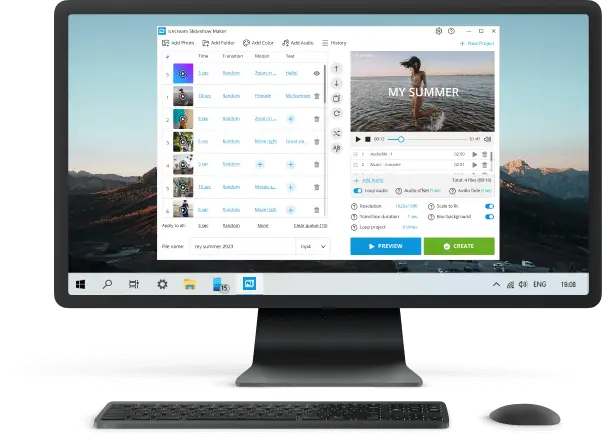
Free Slideshow Makers for PC, Online, Mobile
Nearly all modern businessmen, students, and managers have faced the problem of how to show and deliver information to the audience in the most attractive way.
For this purpose, software developers have designed paid and free slideshow makers: online and offline services and apps to create video presentations from images.
In this article, we reviewed top-notch free desktop slideshow software and online services.
Best free slideshow makers for PC: summary table
| Application | Customization options | OS | Our rating |
|---|---|---|---|
| Icecream Slideshow Maker |
Add transitions, slides, insert text, shuffle images, overlay music.
|
Windows
|
5.0 |
| ThunderSoft |
Insert videos, edit images.
|
Windows
|
4.8 |
| NCH PhotoStage |
Change brightness, add a narration, use various transitions and effects.
|
Windows
macOS
Android
iOS
|
4.5 |
| Microsoft PowerPoint |
Huge template collection.
|
Windows
macOS
|
4.5 |
| Focusky |
Apply interactive elements and animate slides.
|
Windows
|
4.4 |
| Magix Photostory |
Create animated maps, make small photo videos.
|
Windows
|
4.3 |
| DaVinci Resolve |
Apply color correction, motion graphics and edit audio.
|
Windows
macOS
Linux
|
4.3 |
| Bolide Slideshow Creator |
Add transition effects.
|
Windows
|
4.0 |
| PowerDirector |
Change video speed, customize your slideshow with titles.
|
Windows
macOS
Android
iOS
|
4.0 |
| Aiseesoft |
Animate images and adjust contrast and saturation.
|
Windows
|
3.9 |
| LibreOffice Impress |
Transition effects (like fade, dissolve) and animations (entrance, emphasis, exit).
|
Windows
macOS
Linux
|
3.8 |

How we picked the presentation software
Our team has conducted an in-depth analysis of the best free slideshow makers that are currently accessible in the market.
We have taken into account all the relevant factors that are important for a good slideshow app, including:
- The user interface;
- Available templates and themes;
- Multimedia support;
- Transitions and special effects.
Our analysis has also considered the flexibility of each slideshow creator to customize the slideshows according to the preferences and requirements.
Utilizing these criteria, we've compiled a list of noteworthy slides makers categorized into three groups: desktop, online, and mobile options.
1. Icecream Slideshow Maker
A great free slideshow maker for Windows with all the most popular features and options. It enables the building of projects in diverse formats and resolutions, offering versatility for uploading and broadcasting clips across various platforms and monitors.
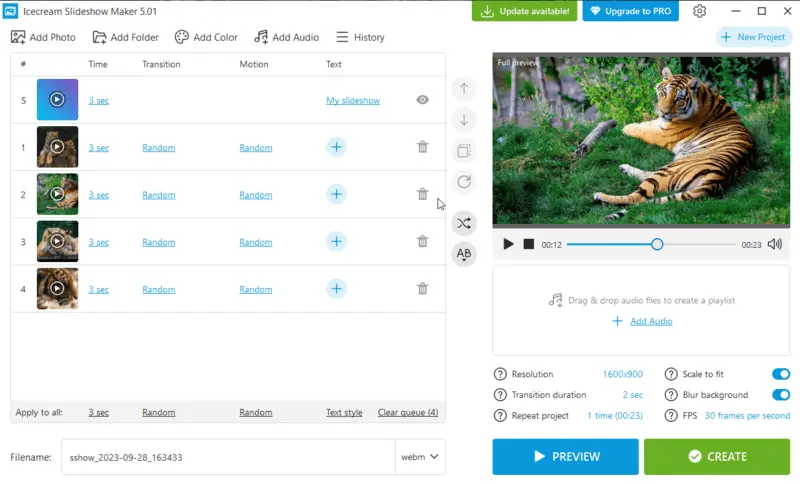
You can use 2K and 4K resolutions for the high-definition objects. Try WEBM format for displaying on devices with the Android operating system from Google, MP4, and AVI for films viewed on a TV.
You can add transitions between slides, insert text and blank slides, shuffle images, and more. All that's needed for fast and effective deck building.
Pros:
- Create a presentation with music and insert playlists;
- Resume videos from the History panel;
- Slideshow maker app with a simple and intuitive interface;
- Does not require high PC performance;
- Upload the output directly to YouTube, Google Drive, or Dropbox.
2. ThunderSoft Free Slideshow Maker
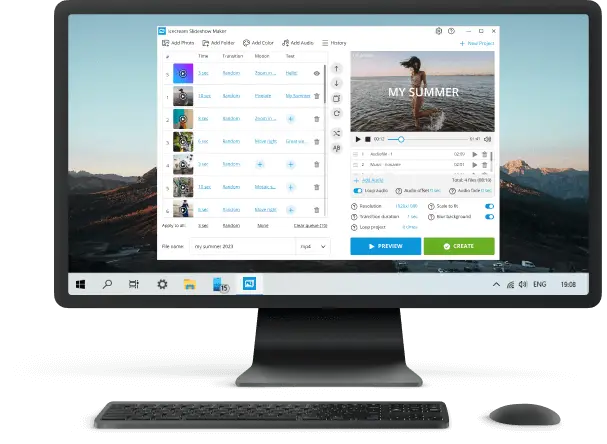
With ThunderSoft, you can edit not only the slides (pictures, documents, and so on) but also insert clip files into the projects. So it is a rather convenient and functional free slideshow creator.
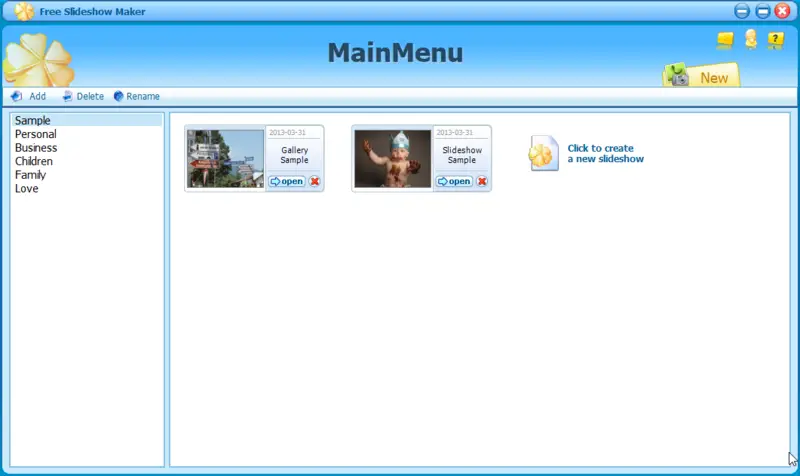
In addition, the functionality of the software allows to incorporate sound and additional spectacular transitions. It is compatible with Windows OS, starting with the XP version.
Pros:
- Make a slideshow using lots of functions;
- Animation can be inclined;
- Little CPU and GPU load;
- Exports the file in most modern formats (MP4, AVI, MOV etc.);
- Direct uploading to the hosting website.
Cons:
- Steep learning curve;
- Software with an outdated design.
3. NCH PhotoStage
The program allows users to create multimedia slideshows by combining photos, videos, music, and narration. People can arrange and customize the elements to produce visually appealing presentations.
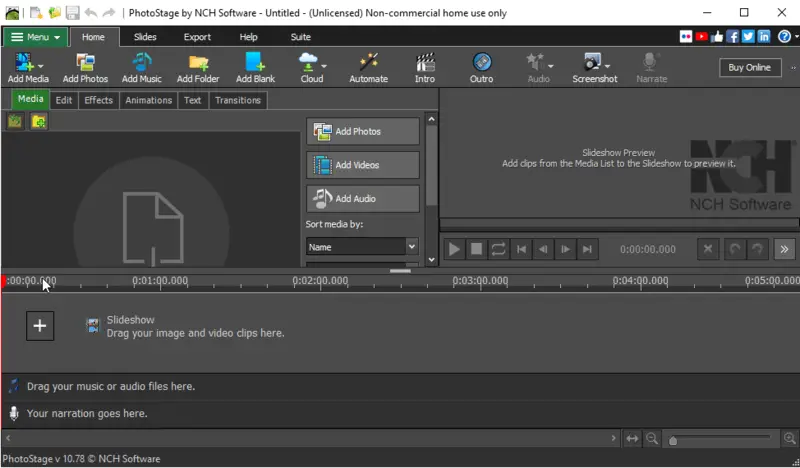
The NCH PhotoStage typically features a beginner-friendly interface with drag-and-drop functionality, making it accessible to consumers with varying levels of technical expertise.
The slideshow creator also has the possibility of adding background music and audio narration. It includes a comprehensive help system with tutorials and tips to ensure a fast start.
Pros:
- Comprises many customization instruments;
- Supports multiple input and output video formats;
- Offers built-in themes and transitions;
- Slideshow program has audio editing features;
- Provides various export options.
Cons:
- Slow response;
- No compatibility with 4K videos or higher resolutions.
4. Microsoft PowerPoint
A powerful and free slideshow maker. A great advantage is the huge number of templates that you can employ to craft compelling and visually stunning presentations.
Tailored for both personal and professional use, the app seamlessly combines intuitive design with a robust set of features, allowing to transform ideas into captivating projects.
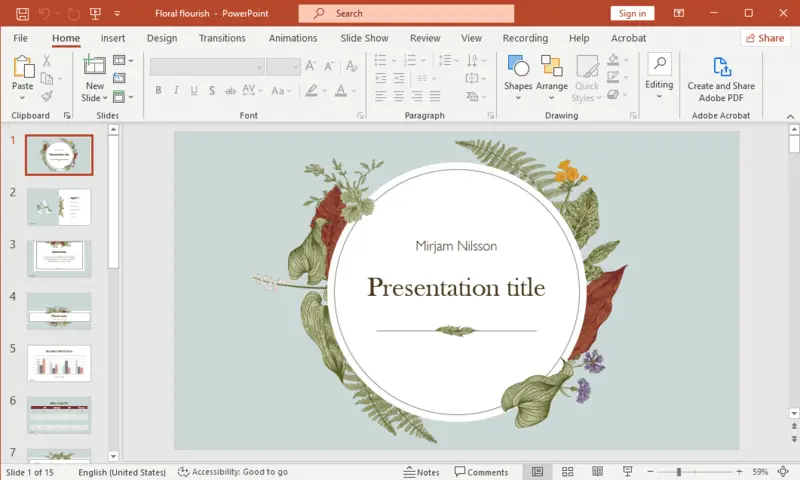
You will, however, need a Microsoft account to work with this software or with the online version. In addition to that, PowerPoint lets you mount only 3 panels per month.
Pros:
- Variety of presets;
- Microsoft 365 service supports Windows, macOS, Android, and iOS;
- Useful help system.
Cons:
- Trial version has a standard set of features, advanced ones are not free;
- Limited amount of presentations in the free iteration;
- Slideshow program requires a Microsoft account.
5. Focusky Presentation Maker
This is a free and effective slides maker for constructing remarkable panels. You can effortlessly craft eye-catching output with media, such as videos, photos, music.
Users have precise control over the path of their presentations with the non-linear feature. It enables a more interactive and engaging storytelling experience.
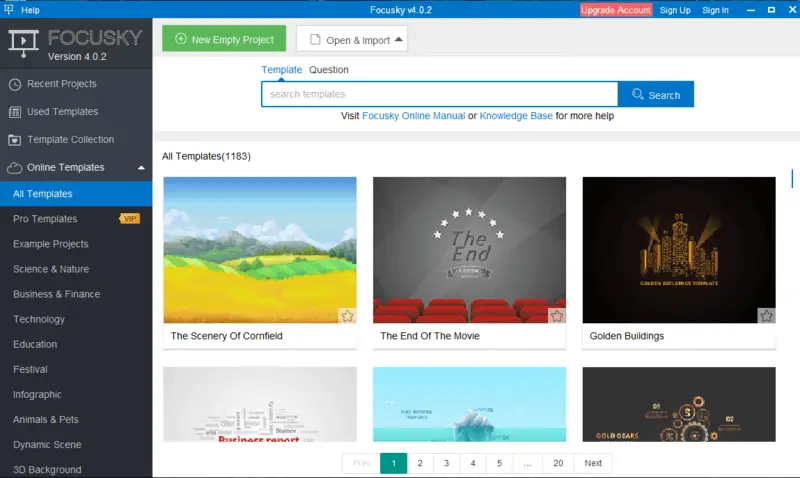
This slideshow maker also allows you to animate your content and build interactive elements with transitions. Focusky also offers an extensive library of image samples to help you get started quickly. Moreover, you can alter the appearance by adding text, adjusting font sizes, colors, animations.
Pros:
- Intuitive interface with a drag-and-drop feature;
- Facilitates real-time collaboration;
- Rich variety of export formats.
Cons:
- Although offline presenting is supported, certain features may require an internet connection;
- While the software offers unique functions, there may be a learning curve for those who are accustomed to more traditional tools.
6. Magix Photostory
Powerful slideshow software with a free trial period for professionals and amateurs. Individuals can seamlessly integrate a variety of multimedia elements into their decks. This includes not only images but also clips, music, and voiceovers. If you are a beginner, Magix Photostory has ready templates and style solutions.
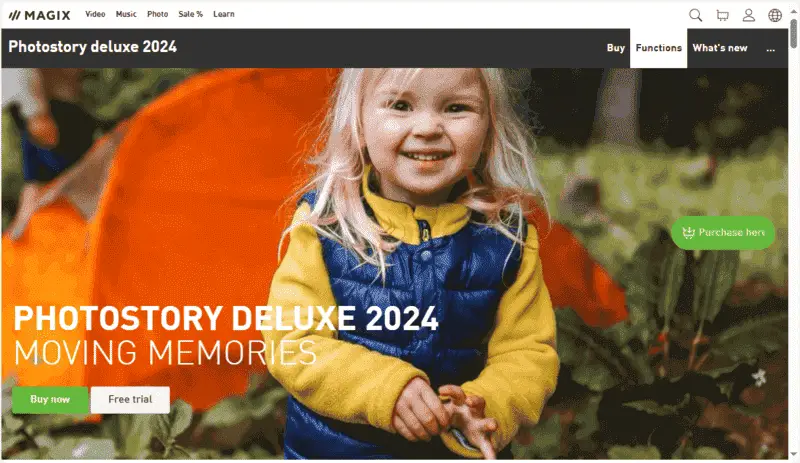
For those looking for a quick and hassle-free process, Magix Photostory often includes an Instant Slideshow Wizard. This feature automates the slideshow creation based on your preferences.
Pros:
- Make a slideshow with a wide range of individual settings;
- Compatibility with high-resolution footage;
- Instant sharing and DVD burning;
- Built-in store with a set of extra instruments;
- Special effects such as distortion and 3D simulations;
- Presentation generator does not need high PC or laptop performance.
Cons:
- Slideshow app with a steep learning curve;
- In the free version, you can employ only basic tools.
7. DaVinci Resolve
DaVinci Resolve is a formidable slideshow program for composing captivating videos. It features advanced editing utensils, such as transitions, color correction, and more.
The app includes powerful customization options, like choosing the resolution and aspect ratio. Additionally, it offers built-in audio support, allowing you to incorporate music or voice-overs into your creations.
Pros:
- Comes with numerous transition, text, and animation effects;
- Has an integrated sound post-production features;
- Offers industry-leading color correction and grading capabilities.
Cons:
- Requires purchase of the Pro version for full access;
- Altering a slideshow may be sluggish at times due to high resource usage;
- Some mechanisms can be confusing for beginners.
8. Bolide Slideshow Creator
Bolide is a slideshow app that offers an intuitive set of instruments, and the files' processing requires no high-powered PC. The software allows to import a variety of graphic formats, enabling the designing of panels with a mix of photos and graphics.
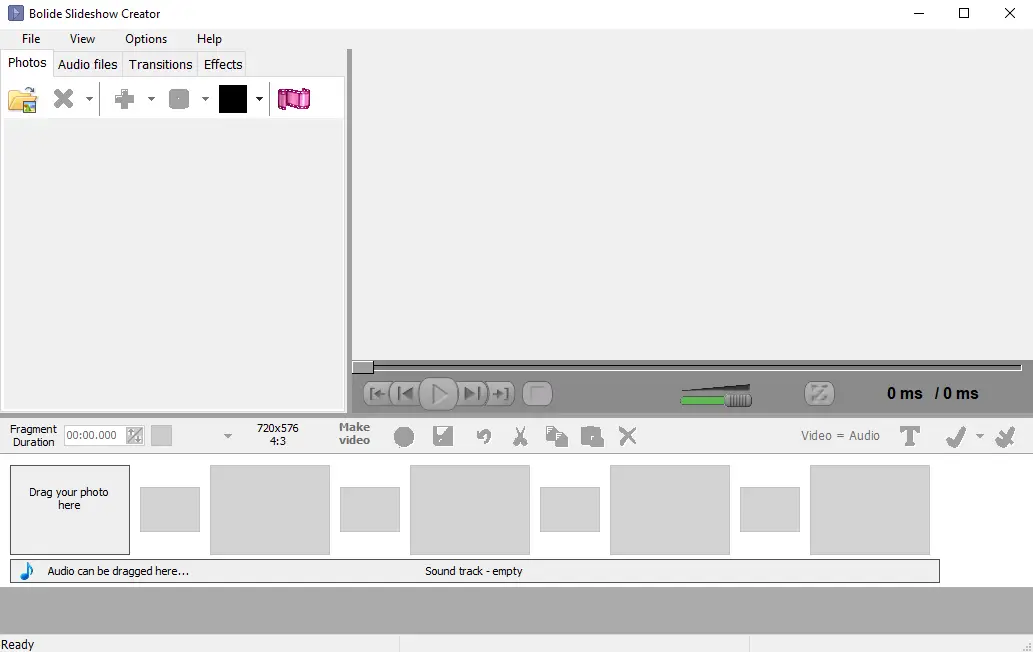
There is also a simple, yet functional image editor that allows you to crop and rotate the picture, and add inscriptions. Create a presentation and save the file in various extensions (AVI, MKV, FLV, MP4, etc.).
Pros:
- High performance even on weak computers;
- Presentation creator suitable for beginners;
- User-friendly interface.
Cons:
- Free slideshow maker has a limited functionality;
- No audio redactor.
9. PowerDirector
PowerDirector Slideshow Maker is a user-friendly and feature-rich tool designed to transform your photos into dynamic and engaging presentations.
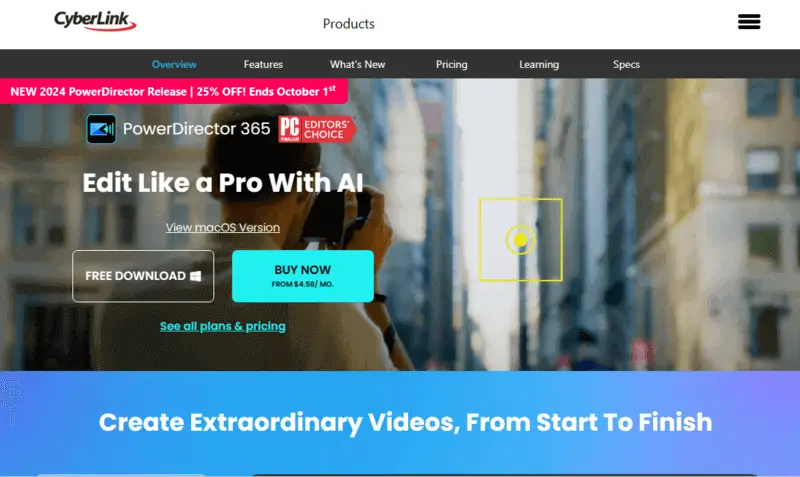
With a simple drag-and-drop feature, you can quickly customize videos with photos, clips, titles, and transitions. You can even insert music from the library or your own collection.
Plus, you can upload it directly to platforms such as YouTube and Facebook.
Pros:
- Create a slideshow and adjust themes, add text, transitions, and music;
- Possibility to incorporate effects, such as motion graphics and animated titles;
- Preloaded templates and stock media available.
Cons:
- Presentation generator is costly (if you need the full version);
- No support for 4K export;
- May lack speed on low-spec systems.
10. Aiseesoft
The slideshow software accepts the inclusion of music, text, photos, videos, and transitions. It also supports panoramic images and allows to record their own narration for the slides.
It supports various export options, including MP4, MOV, AVI, GIF, and more. Aiseesoft provides a range of customization such as adjusting the size or adding watermarks directly in the app.
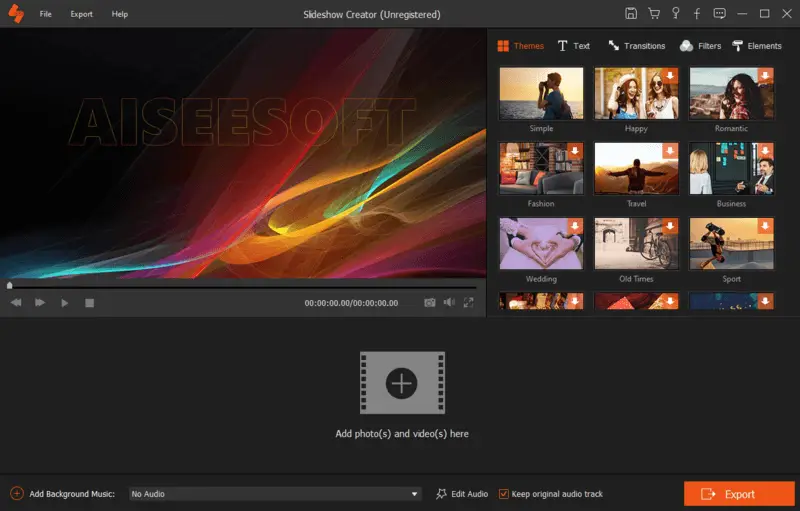
The presentation maker offers a selection of pre-designed templates, providing users with a starting point for creating visually appealing projects. These templates can cater to different themes and styles.
Pros:
- Consumers can add titles, captions, and text overlays to slides;
- Ability to animate drawings with transitions;
- Adjustment of visual effects such as contrast, saturation, brightness, hue, and temperature.
Cons:
- To access green screen, you need to upgrade to the premium version of the slide creator.
- Some people have reported crashes or freezes while utilizing the program.
11. LibreOffice Impress
This slideshow app is part of the LibreOffice productivity suite, which is a free and open-source alternative to commercial office sets like Microsoft Office.
Impress allows to build professional decks with a variety of layouts, backgrounds, and styles. You can easily add text, bullet points, images, shapes, charts, tables, and multimedia elements.
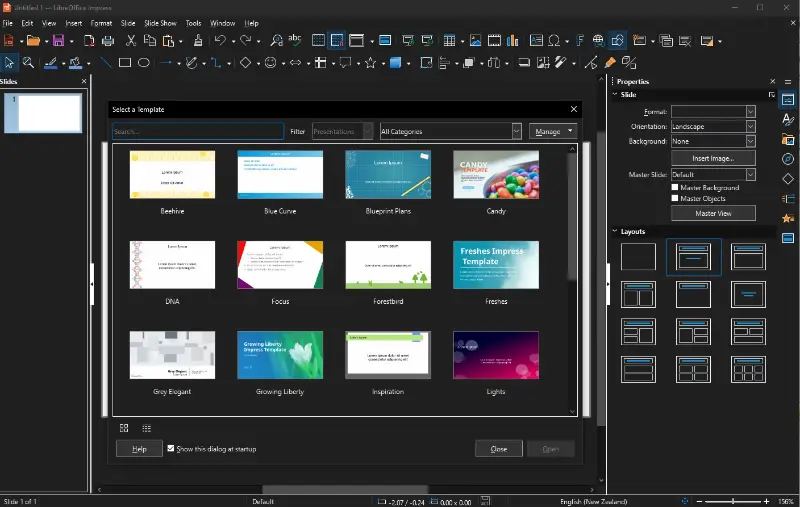
The master slides feature helps define consistent formatting and layout elements across multiple pages. This is useful for maintaining a uniform look throughout.
Pros:
- Being open-source, the software allows to view and modify its code;
- Supports a variety of file formats, including PPTX, ODP, PDF, and more.
Cons:
- Complex presentations with intricate layouts, animations, or macros may not always render perfectly.
Best free online slideshow makers: summary table
| Application | Customization options | Our rating |
|---|---|---|
| Video Candy |
Music, transitions, fit size, aspect ratio, and image duration.
|
4.9 |
| Prezi |
Bunch of ready-made templates.
|
4.8 |
| Fastreel Slideshow Maker |
Use built-in music collection.
|
4.7 |
| Canva |
Add charts, use pre-made templates, insert stock pictures.
|
4.6 |
| Renderforest Slideshow Maker |
Choose from an assortment of themed templates.
|
4.5 |
| Kapwing |
Enhance your slides with music, transitions, captions, and text.
|
4.2 |
| Google Slides |
Create video from images.
|
4.0 |
| PixTeller |
Check the bank of free templates.
|
3.8 |
| Adobe Express |
Change background colors and work on transitions.
|
3.5 |
1. Video Candy
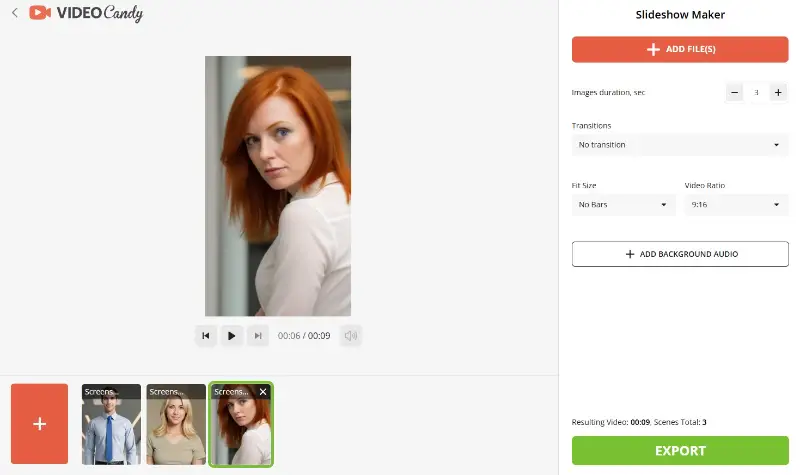
Video Candy is a versatile, free online platform that enables to easily create professional slideshows. With its user-friendly interface, the service simplifies the clip-making process, allowing you to generate content in just a few minutes.
The platform is accessible to both beginners and gurus.
Pros:
- Free video editing service with simple tools;
- No registration required.
Cons:
- Limited free export options;
- Watermark appears on the output unless upgraded;
- Advanced features require a premium subscription.
2. Prezi
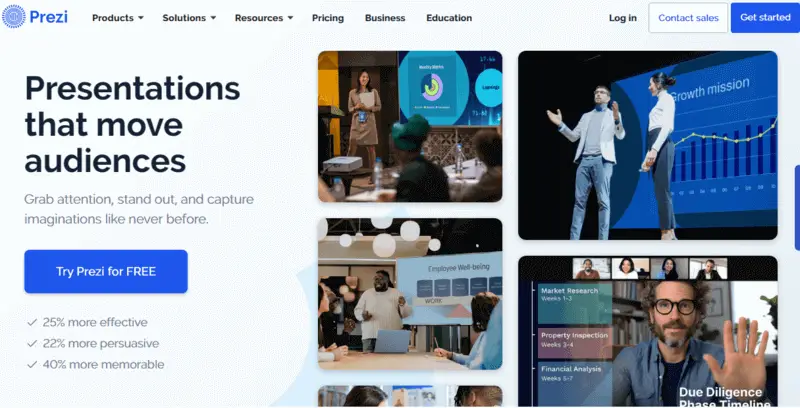
Prezi is a cloud-based platform that offers a unique and dynamic approach to creating visual presentations. Multiple templates are available, providing the option to recycle your previously crafted slideshows. Additionally, there is a seamless integration feature for your projects in Zoom, Microsoft Teams, and Webex.
Pros:
- Costless, with no limits on the number of slides;
- Slideshow website with ready-made templates.
Cons:
- Free version has limited functionality;
- Results are uploaded to the Prezi platform, not maintaining the privacy of your documents.
3. Fastreel Slideshow Maker
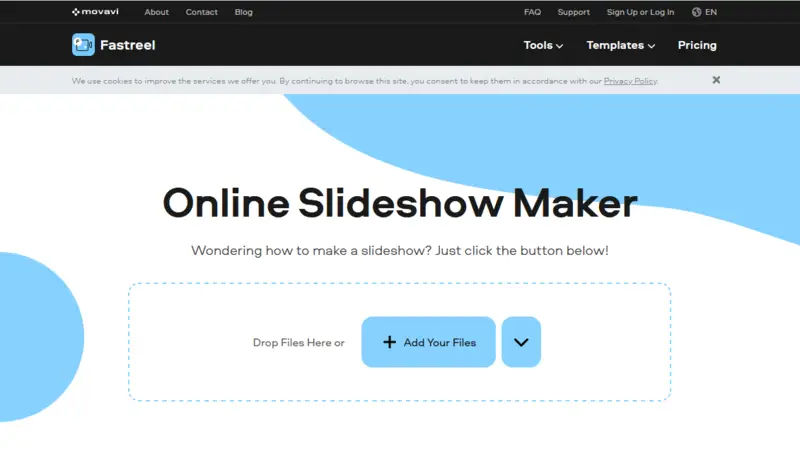
Fastreel is a free online tool designed by Movavi. It facilitates the creation of beautiful professional slideshows in minutes.
The generator comes with an array of automated functionalities, allowing to add various elements without hassle. It furnishes a broad array of themes and styles to select from.
Pros:
- Multi-functional app;
- Pre-made patterns and split-screen grids;
- Results are deleted in 24 hours.
Cons:
- Supports certain types of media, such as JPG or MP4;
- Slideshow app puts watermark on a resulting video;
- Limited customization themes.
4. Canva
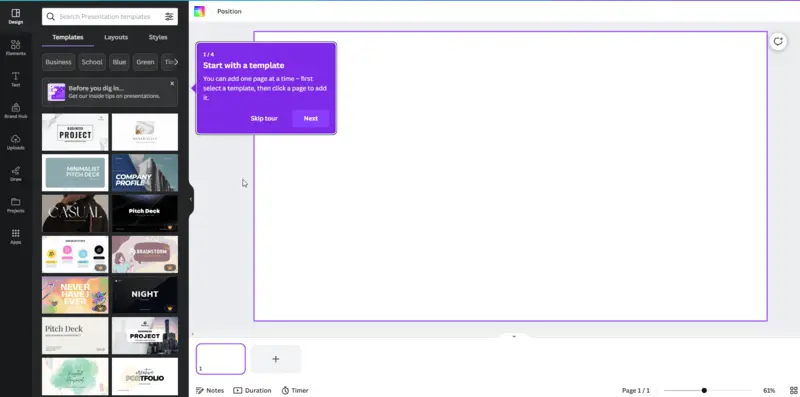
Canva is an online platform for creating video presentations. This slideshow app is suitable for bloggers, students, and managers to compose a beautiful video in a short time.
There's a free version of slideshow maker, but for professional use you will need to purchase a PRO account. The premium plans unlock additional features and assets as well as access to a the library of business templates, posters, and others.
Pros:
- Large selection of instruments. These are titles, animated page transitions, image filters;
- Quick export to web-hosting sites;
- Compatibility with most manufacturers of microphones and camcorders;
- Slideshow web app works with major extensions.
Cons:
- Some users may have problems with absence of popular fonts;
- Free version has only the standard toolkit;
- No ability to resize the picture.
5. Renderforest Slideshow Maker
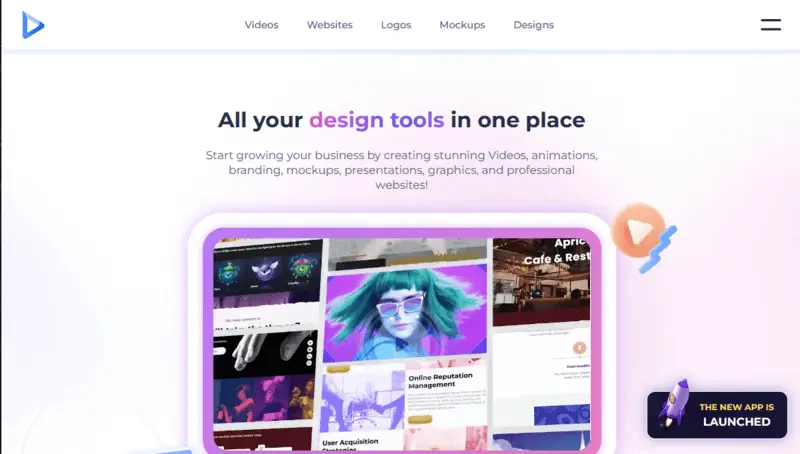
Renderforest turns footage into amazing panels in minutes. It's incredibly beginner-friendly and comes equipped with fantastic features. In no time, you can effortlessly transform your images into impressive projects, complete with music, special effects, and imaginative transitions.
The slides maker supports collaborative editing, enabling groups to work on a presentation simultaneously.
Pros:
- Provides a cloud storage integration;
- Users can integrate their logos into the slideshows;
- Service with high-quality output.
Cons:
- More focused on simplicity, lacking some of the intricate capabilities of professional design software;
- Adds a watermark by default;
- Free plans have limitations on export resolution and font editing.
6. Kapwing
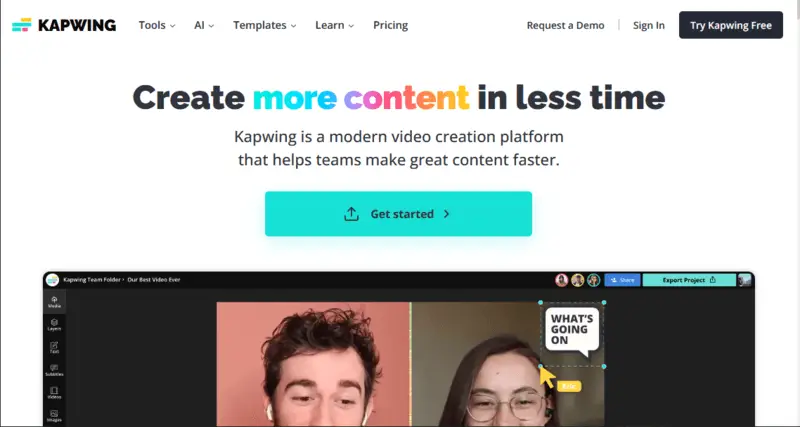
Kapwing's producer is a straightforward online app for creating eye-catching slides costless. It's great for making presentations, social media posts, and more due to the aspect ratio choice function.
You can incline music, transitions, captions, and text to your decks with just a few clicks. The platform has a meme generator tool, allowing to quickly incorporate overlays to existing media or templates.
Pros:
- Lots of customization options;
- Create slideshow online on any device;
- Outputs in HD quality.
Cons:
- Restricted video length (30 minutes);
- No direct sharing to social platforms.
7. Google Slides
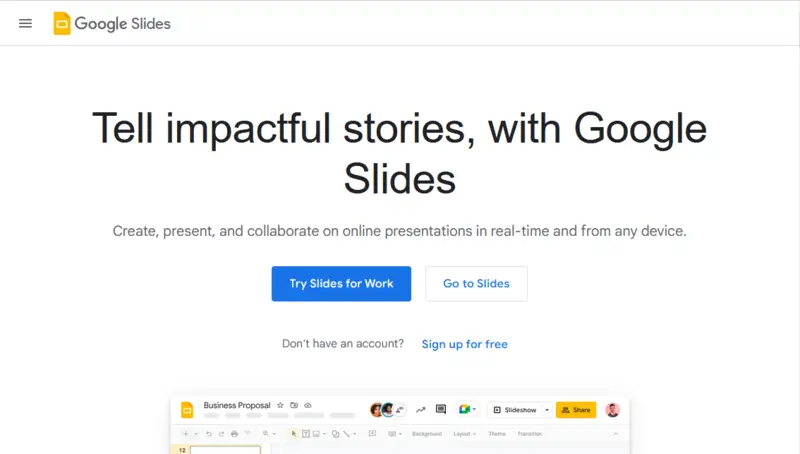
Google Slides is a cost-free, web-based presentation tool akin to PowerPoint, offering seamless web collaboration. Users can leverage this service with the convenience of their Google account, enabling simultaneous editing and accessibility from any device with internet connectivity.
The slides maker has an intuitive interface and allows you to create a fairly good video from photos. However, it lacks some advanced features compared to other utilities from our list.
Pros:
- Google Drive integration;
- Does not require high device performance.
Cons:
- The slideshow maker has small set of tools.
8. PixTeller
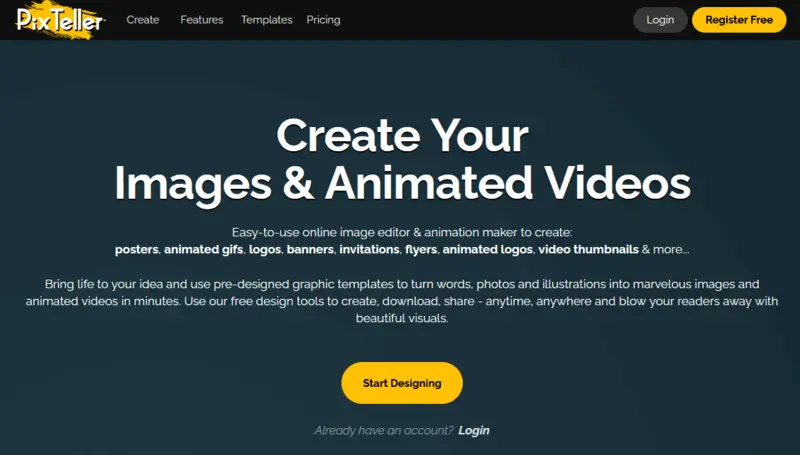
PixTeller is a versatile platform that empowers users to compose stunning visuals with ease. Beyond offering a variety of slide formats such as single pics, fullscreen slideshows, split images, and multiple columns, the app provides an extensive library of customizable templates, graphics, and text options.
People can seamlessly add music or voiceovers to their presentations. Consumers can easily upload their slideshows on social network website or share their work with the online PixTeller community.
Pros:
- Bank of free pictures and templates built-in into this slideshow creator;
- MP4, GIF, and other output formats.
Cons:
- Privacy mode is available only in the PRO version.
9. Adobe Express
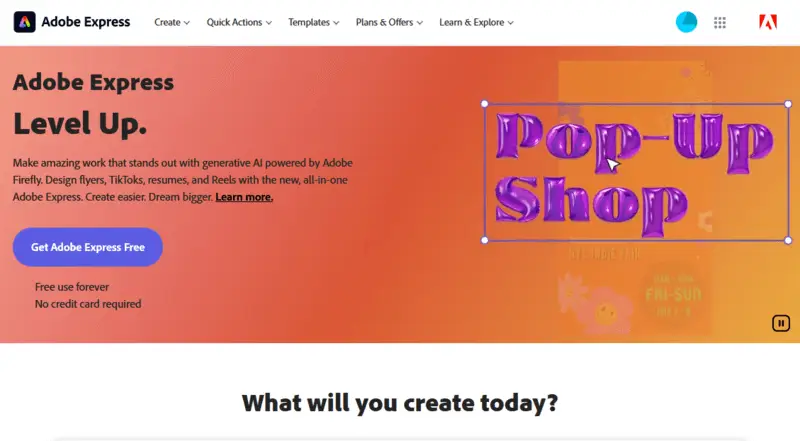
Adobe Express has an easy-to-use interface that enables the building of beautiful slides along with customizing options like text, photos, and videos.
With its simple drag-and-drop feature, you can create unique slideshows in a few moves. You can alter each page with transitions, background colors, and motion effects.
Pros:
- Has a collaboration mode;
- The slideshow website is a part of Adobe ecosystem;
- Simple one-click layouts.
Cons:
- Not compatible with mobile devices.
Mobile slideshow creators: summary table
| Application | Customization options | OS | Our rating |
|---|---|---|---|
| Movavi Clips |
Edit images directly on your slides.
|
Android
iOS
|
4.8 |
| Keynote |
Collaborate on creating projects.
|
iOS
|
4.7 |
| Pixgram |
Add text captions, music and transitions.
|
Android
|
4.6 |
| MoShow |
Record voiceovers to improve your slideshow.
|
Android
iOS
|
4.5 |
| Photos |
Theme, background music, and playback speed.
|
iOS
|
4.3 |
1. Movavi Clips
Movavi Clips has a library of built-in effects and transitions, as well as music tracks to make a perfect slideshow. You can choose from a collection of stylish templates or start with a blank slide and let your creativity flow.
The user-friendly interface allows you to quickly edit images while building a presentation with various instruments such as cropping, resizing, rotating, and color correction. You may as well insert captions and subtitles.
Pros:
- Intuitive tools make it easy to create presentations in minutes;
- Fun stock music tracks let you add atmosphere to your panels;
- Support for 4K resolution gives you high-quality results.
Cons:
- The free version doesn't include all features;
- Some features of slideshow app may be too complicated for newcomers;
- Limited support for GIFs;
- Poor customer service response time can be frustrating.
2. Keynote
Keynote is an app for designing slides on devices running Apple operating systems: iOS, and macOS. It has a large library of preloaded effects and transitions.
Users have the capability to incorporate charts and diagrams. Furthermore, this slide creator facilitates collaborative work on projects, fostering teamwork and providing additional functionalities for an enriched experience.
Pros:
- Apple Pencil support;
- Collaborate with colleagues while you make a slideshow.
Cons:
- Works exclusively on macOS;
- Has only basic toolkit.
3. Pixgram
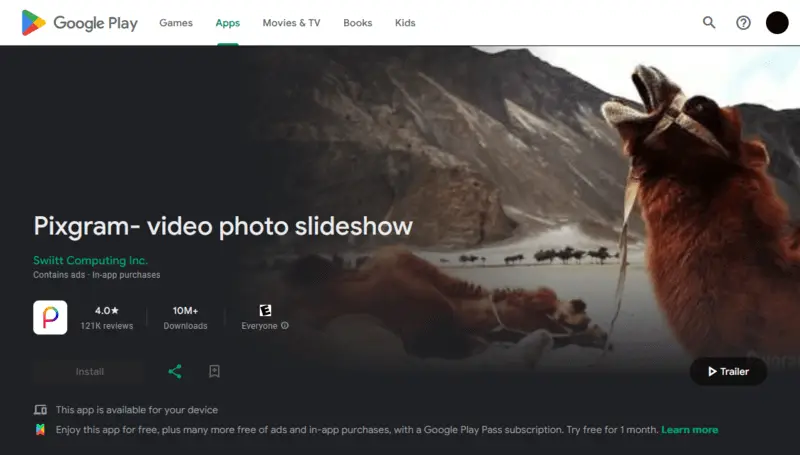
Pixgram is an innovative platform that gives users a simple way to transform photos and videos into amazing slideshows.
It offers a range of features to make your panels look amazing, including captions, music, transitions, and more. You'll be able to upload files from your device or from popular services such as Instagram, Facebook, Flickr, Dropbox, Google Drive, and more.
Pros:
- Simple and intuitive. It only takes a few minutes to begin;
- Has the option to share output directly on social media platforms.
Cons:
- While it is free to download, there are in-app purchases for additional features;
- Ads occasionally appear while building slideshows, which can be annoying at times.
4. MoShow
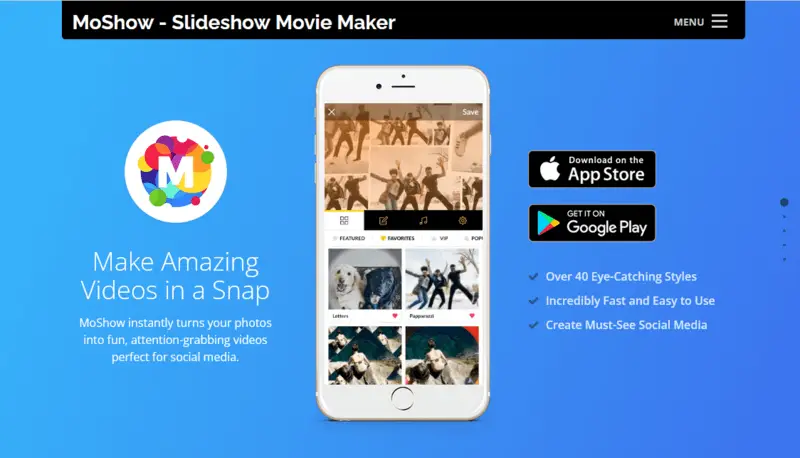
MoShow is a mobile utensil designed for composing dynamic and visually engaging photo and video slideshows. It app includes a variety of pre-designed styles and templates, offering creative options to personalize their projects with different themes and effects.
Users have the ability to tweak various elements, such as choosing transition effects, adjusting the duration of each slide, and adding text overlays.
Pros:
- With numerous customization options, consumers can add music, voiceovers, animations, and more.
Cons:
- Not all media formats are supported.
5. Photos
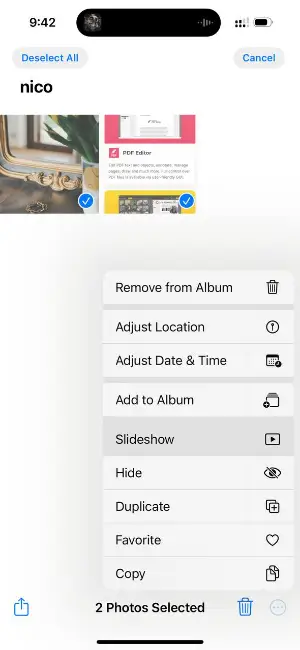
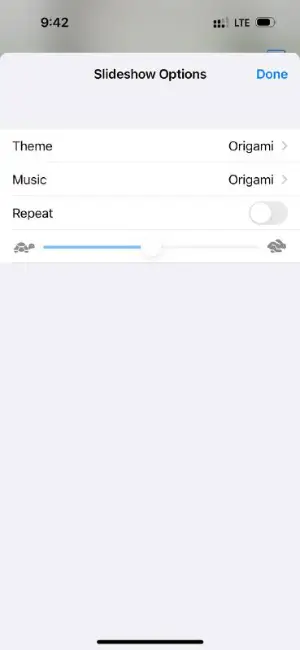
Photos, a default app on all iOS devices, stands out as a user-friendly tool for creating slideshows.
It offers a variety of pre-set themes that add visual flair. Each theme comes with its own transitions and animations. Additionally, individuals can choose background music from their library or select from the default soundtracks.
The free slideshow maker also utilizes machine learning to identify significant people, places, and events in your library. It then builds presentations called Memories based on these elements.
Pros:
- Available for free on all iOS devices.
- You can incorporate Live Photos and videos seamlessly.
- Stream slideshows to any compatible Apple TV or AirPlay-enabled device.
Cons:
- It lacks advanced settings found in dedicated slideshow maker apps.
How to select the slideshow creator
With so many options available, it can be hard to choose the best one.
Do some research online to find out which free slideshow makers exist and what features they offer. Read reviews and compare different products.
These are a few tips to help you decide.
- Functionality. Confirm the software is user-friendly and has all the necessary tools. It should also have an intuitive interface.
- Compatibility. Ensure that the free presentation generator works with your device and operating system. You should also possess the ability to share your output easily on social media or other platforms.
- Updates. Look for a slide creator that provides periodic updates with fresh features and bug fixes. This will verify your videos stay up-to-date and look professional.
- Support. Find out if there is customer support available in case you have any problems.
By following these tips, you'll be able to find the best free slideshow builder for your needs. With the right utensil, you can complete the task in no time!
Reasons to make a slideshow
They are the perfect way to capture memories, tell stories, and leave lasting impressions. They're great for any occasion, from weddings and birthdays to anniversaries and graduations. Here's a look at some of the best times to create a slideshow:
Weddings
The big day can go by in a flash. With a wedding slideshow, you can capture all the moments that make up your day – from the ceremony to the reception.
Birthdays
Make your loved one feel special by creating a birthday slideshow. Include photos, videos, and music that capture the special day. You can incorporate captions and text to customize each slide.
Anniversaries
Celebrate your relationship with an anniversary slideshow. Include photos from your time together – from when you first met all the way through present day. Choose from templates that showcase photos in beautiful frames or collages.
Graduations
Mark the end of an era with a graduation slideshow. Capture each milestone along the way with photos of friends and family cheering them on. You can even add motivational quotes or inspirational words to show how proud you are of their accomplishment.
Funerals
A slideshow provides an opportunity to celebrate the life of the departed by showcasing moments of joy, love, and happiness captured in photographs. Involve family and friends in the process to gather a diverse range of photos and perspectives.
No matter what occasion you're celebrating, composing a slideshow is an effortless and enjoyable method of preserving memories and recounting tales with friends and family.
Utilizing free slideshow creators, you don't have to be tech-savvy to get started. Just choose a template, add photos, music, and captions, and you'll have an amazing slideshow in no time!
Slideshow making tips
- Choose a simple template (if any); it will make your presentation look more professional.
- Utilize animation, transitions, and other design elements to help your slides stand out.
- Avoid adding too many graphics; they can distract from the content.
- Keep your text short and to the point; long sentences can be difficult to read on slides.
- Integrate visuals such as charts, graphs, or photographs to enhance the presentation.
- Utilize contrasting colors for text and backgrounds for better visibility.
- Record a voiceover or use music to add emotion to the presentation.
- Check the text for spelling and grammar errors before sharing the slides with others.
- Employ the preview feature of the slide creator to ensure everything looks correct before sharing your slideshow.
FAQ
- What types of formats do programs support?
- Common image formats such as JPG, PNG, and GIF as well as video formats like MP4 and MOV.
- Are there free apps with built-in templates?
- Yes! Generator offers integrated templates that enable users to start promptly without having to construct slides from the ground up.
- Can I add music?
- Our slideshow maker allows you to insert sound effects directly from their library or through an external source such as YouTube or SoundCloud.
- Are there any limits on how many slides I can incline to one project?
- This depends on the specific software you are utilizing but most offer unlimited options.
- Should I include animations or transitions?
- Subtle animations or transitions can enhance the presentation, but avoid overusing them as they can become distracting.
- How much text is too much on a slide?
- Ideally, no more than 6-8 lines of text per slide, with each line containing no more than 6-7 words. This ensures readability.
Best Free Slideshow Makers: Conclusion
To conclude, creating a slideshow can be an easy and enjoyable process. When choosing a free software, the most important considerations are the features and ease of use.
Look for a tool that offers vast personalization choices and templates, along with the potential to cooperate with others if necessary. Additionally, best slideshow maker should provide multiple output options and be compatible with your device or operating system.
The correct instrument allows you to build gorgeous presentations without depleting your wallet. So why not give one a try today?

Editor-in-Chief at Icecream Apps
