
File Management for Video Editors Workflow
Video file management is the backbone of any post-production workflow, yet it’s often overlooked until a project descends into chaos.
Picture spending hours searching for a crucial clip, only to find it buried in a maze of folders—or worse, lost entirely. That’s where smart file organization, dependable backups, and seamless cloud synchronization make all the difference.
In this article, we’ll explore best way to organize video files and tools to help you streamline your process and maintain control over every footage.
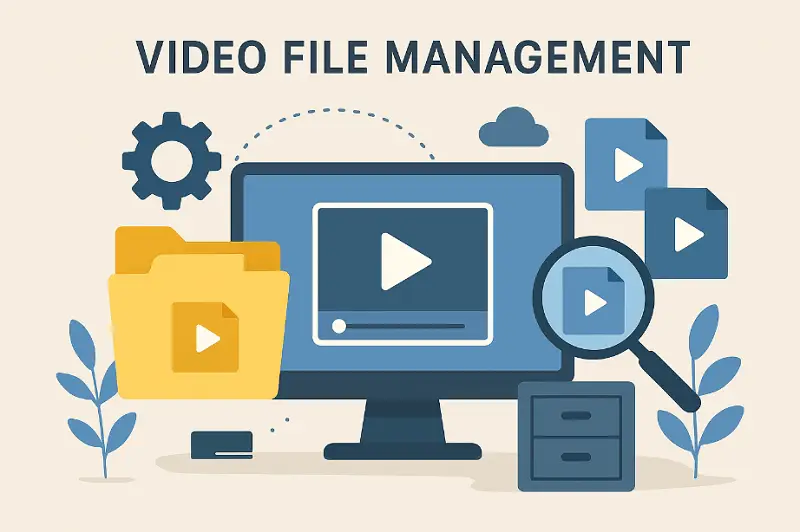
What is file management for video editing?
This is the methodical approach to handling digital assets throughout a production. It ensures takes, audio, graphics, and compilation components are easy to locate. Effective practices help professionals save time, reduce mistakes, and maintain the integrity from beginning to end.
Key elements include:
- Folder Structure – Arranging directories so sound, visuals, and final outputs are logically separated.
- Naming Standards – Using consistent, descriptive labels to track different versions.
- Backup System – Storing multiple copies across drives or cloud platforms.
- Synchronization – Keeping resources updated and accessible across collaborators.
- Archiving – Preserving finished cuts and materials for future reference.
File management for video editors workflow
This practice extends beyond simply dragging clips into video editing software - it involves careful arrangement, labeling, storage, and protection of all layers, ranging from untouched recordings to completed montage.
1. Video Editing Folder Structure
A logical catalog system provides clarity and improves navigability.
Implementation:
- Establish main directories such as Footage, Sequences, Sound Effects, Graphics, Documents, Exports, and Temp.
- Subdivide by date, camera, or scene: Film_strip/2025-08-15_CameraA/Scene02/Take01.mov.
- Segregate ongoing modifications from finalized material to avoid confusion.
Tip: Include a brief README describing the folder layout to perform onboarding faster for collaborators.
Example of how to organize video files for editing: Drone visuals captured during a wedding could be stored under "Shot/Day01/Drone". Interviews from another day reside in "Shot/Day02/Interview".
2. Consistent Naming
Standard identifiers make files instantly recognizable, while metadata preserves technical, legal, and contextual information.
Implementation:
- Incorporate elements like stage, take, dimensions, frame rate, and iteration: S03_T05_CamB_1080p_24fps_v02.mov.
- Add tags indicating licensing, usage rights, or compatibility notes.
Tip: Maintain a simple log for tracking changes, preventing miscommunication across revisions.
Example of file management system: A corporate promo may have "Intro_Cam1_v1.mp4", while a multi-camera commercial requires more granular identifiers.
3. Proxy Creation
Efficient import and generation of lower-depth items optimize software performance.
Implementation:
- Transfer video recordings into organized folders, verifying integrity.
- Create lightweight duplicates for smoother timeline playback.
- Preserve originals separately to conserve quality.
Tip: Leverage render linking features in editing applications for seamless transitions between low- and ultra HD iteration.
Example of best way to organize video files: 4K aerial captures can slow laptops; using 1080p proxies ensures responsive timelines while retaining high-resolution masters for final exports.
4. Version Tracking
Maintaining sequential retouchment protects creative storyboard and supports gradual improvement.
Implementation:
- Save sequential builds: Project_v01, Project_v02, Project_v03.
- Log modifications in a text file or spreadsheet for easy reference.
Tip: Organize all iterations in a dedicated subfolder to prevent clutter.
Example of how to organize video clips: A footage’s rough assembly is v01, client revisions are v02, and the fully color-corrected output becomes v03.
5. Redundancy
Duplicating materials prevents loss due to hardware failure or accidental deletion.
Implementation:
- Maintain multiple copies: one local, another offsite in cloud server or external disks.
- Automate backup routines for consistency.
- Validate info integrity after duplication.
Tip: Periodically test mirrors to confirm reliability.
Example of how to manage video: Weekend vlog might reside on a 1TB SSD while simultaneously syncing to cloud for added security.
6. Team Collaboration
Remote array allows secure offsite retention and simplifies feedback.
Implementation:
- Utilize services such as Google Drive, Dropbox, Frame.io, or ShotGrid.
- Assign permissions carefully to hinder accidental changes.
Tip: Keep a local master copy; digital vault complements but does not replace physical duplicates.
Example of file management system: Sharing a short promotional video through a link allows clients to comment without downloading.
7. Asset Indexing
Tracking every element prevents misplacement and supports compliance.
Implementation:
- Maintain a spreadsheet or database documenting names, locations, and permissions.
- Update records whenever files are renamed, moved, or added.
Tip: Include fields for intended video edits, completion status, and team responsibilities.
Example of video file management workflow: A travel vlog containing dozens of B-roll clips benefits from a searchable index to retrieve content quickly.
8. Temporary File Oversight
Caches boost program speed but can consume substantial locker if unmonitored.
Implementation:
- Allocate render and storage on fast drives separate from primary graphics.
- Purge buffer units once final outputs are complete or repository becomes constrained.
Tip: Retain essential intermediate renders until compositions are fully finalized to allow last-minute adjustments.
Example of video production file management: Editors using Premiere Pro may assign SSD space for cache while preserving media on larger HDDs.
9. Markers and Labels
Color coding highlights assembly status and main moments efficiently.
Implementation:
- Set spectra: red for pending review, yellow for ongoing, green for approved.
- Place markers for timing cues, effects, or notes directly in timelines.
Tip: Maintain a tone key to ensure team members interpret highlights consistently.
Example of file management for video editing: Wedding film selects may appear green, rough sequences red, and audio sync points yellow for fast recognition.
10. Documentation of Pipeline
Recording processes guarantees consistency, simplifies onboarding, and reduces errors.
Implementation:
- Detail video editing folder structures, labeling conventions, proxy usage, backup plans, and utility revisions.
- Include flowcharts, diagrams, or checklists for clarity.
Tip: Update whenever practices evolve to discourage outdated routines.
Example: A workflow like "Ingest > Proxy > Edit > Review > Color > Sound > Export > Archive" provides a perfect roadmap.
11. Monitoring Software and Plugins
Tracking installed applications and extensions ensures compatibility and prevents disruptions.
Implementation:
- Record platform releases, details, and license keys.
- Test overhauls on minor projects before applying to major paths.
- Archive installers for future setups.
Tip: Retain older system configurations to recreate past environments when needed.
Example of how to organize video files for editing: A LUT plugin for shadow grading may require revision control to maintain uniform visual style across multiple sequences.
12. Long-Term Preservation
Consolidating completed endeavor protects against stats loss and enables upcoming revisions.
Implementation:
- Gather segments, exports, proxies, session files, and notes into a single library.
- Store collections on dedicated drives or cloud repositories separate from ongoing compilation.
- Label folders clearly with cut title, client, date, and final deliverables.
Tip: Periodically verify cached content to confirm files remain accessible and uncorrupted.
Example of organize video clips: A short film finished in 2025 might be stored as "ProjectTitle_2025_Archive" with subfolders for Final Exports, Original Media, Proxy Versions, Edit Files, and Procedure.
13. Managing External Devices
Handling cameras, audio recorders, and drones systematically simplifies ingestion.
Implementation:
- Import properties from SD cards, vaults, and USB into organized folders.
- Log device, date, and scene information for accurate tracking.
- Safely eject hardware to prevent data loss.
Tip: Rotate storage gear regularly to minimize wear.
Example of how to manage video: Multi-day music festival footage can be organized by stage and day: "StageA_Day1" and "StageB_Day2".
14. Post Evaluation
Reviewing process efficiency strengthens prospective reels and team collaboration.
Implementation:
- Analyze what worked well and identify bottlenecks.
- Update folder structures, labeling schemes, and proxy strategies based on lessons learned.
- Share findings with colleagues to sharpen collective proficiency.
Tip: Document challenges manual for reference and continuous improvement.
Example of file management system: Noticing that rendering proxies slowed editing could inspire adjusting resolution or compression settings for subsequent projects.
Video organizing software
| Software | Features | Ideal For |
|---|---|---|
| Adobe Bridge | Mass renaming, embedded metadata edits, keyword tagging, image/video previews, tight Creative Cloud linkage. | Bloggers moving between Premiere Pro, After Effects, Illustrator, or Photoshop. |
| DaVinci Resolve | Auto-sorting bins, detailed filters, proxy generation, instant clip playback. | Post-production specialists completing entire workflows in Resolve. |
| Avid Media Composer | Structured bin layouts, direct link to active timelines, searchable database, multi-user storage support. | Film and TV specs in large-scale collaborative productions. |
| Kyno | Quick browsing, rich tag filtering, subclip extraction, transcoding, direct export to NLEs. | Content creators prepping strips before bringing it into suites. |
| Final Cut Pro Library & Browser | Keyword folders, smart groupings, favorites marking, role-based labeling, proxy creation. | Mac-based editors curating extensive collections in FCPX libraries. |
| CatDV | Enterprise asset management, advanced search queries, change tracking, automation pipelines. | Broadcast stations, studios, and production agencies overseeing large video archives. |
| Hedge Postlab | Remote project access, version history, lightweight proxy syncing, location-based collaboration. | Distributed teams working from diverse geographic points. |
| DiskCatalogMaker | Offline indexing of drives, lightning-fast search, thumbnail previews of stored scenes. | Professionals maintaining long-term archives on various drives. |
| NeoFinder | Catalogs removable storage, geotag support, native playback for many formats. | Freelancers and small crews organizing libraries across devices. |
| ShotPut Pro | Simultaneous multi-drive transfers, checksum-based verification, custom folder structures. | On-location crews and DITs offloading camera cards reliably. |
Conclusion
Applying these practices reduces mistakes, cuts down on wasted effort, and supports projects of any scale. Even small actions, like automating transfers or structuring directories logically, significantly enhance fluency.
Ultimately, investing in robust video file management strengthens every phase of post-production, allowing to concentrate on artistic decisions, maintain project continuity, and deliver polished results without technical interruptions.

Expert Tech Writer
