PDF vs DOCX vs JPG: File Format Differences

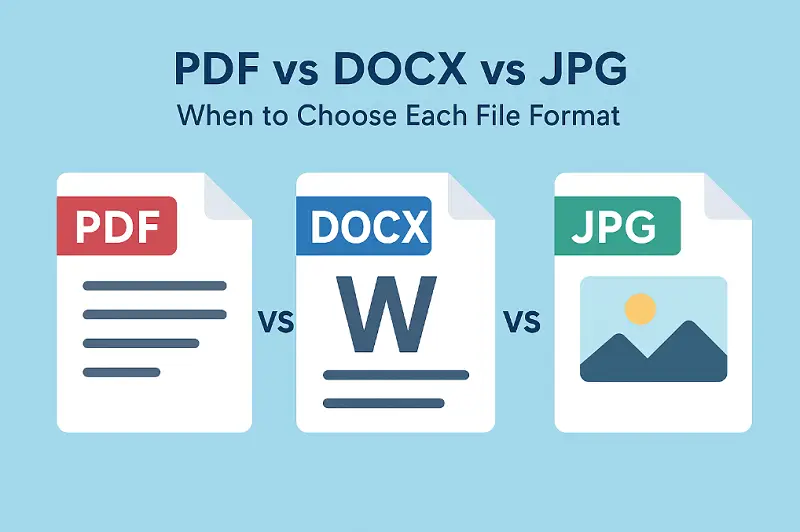
Understanding PDF vs DOCX vs JPG can seriously boost the way you share files — saving you from those annoying formatting fails.
Picking the right extension isn’t just a technical detail — it actually makes your work easier to use and more presentable.
In the following sections, I’ll walk you through what you should consider, so you can select the file type that really fits needs.
What is PDF format?
Optimal For: Documents that demand exact layouts, strong security, and dependable archiving — think contracts, official forms, or design proofs.
File format structural characteristics
- Composition. A PDF file is basically a digital briefcase. It bundles up text, images (both vector and bitmap), and fonts into one neat package. Thanks to its page description model, your file looks the same no matter which device or app you open it with. No nasty surprises.
- Reduction Methods. The extension is clever with space — using lossless compression (like Flate or ZIP) for words and art, so everything stays sharp, and lossy ones (like JPEG or JPEG2000) for pictures, trimming size but still looking good.
- Typography. PDFs carry their own fonts, so there’s no risk of paper showing up with weird substitutions on someone else’s machine. The layout stays rock solid.
- Interactive Elements. These drafts aren’t just for reading. You can insert comments, clickable links, fillable forms, even videos or audio. They can run bits of JavaScript for automation.
File type security
- Encryption. Implements robust AES-128 or AES-256 algorithms to shield sensitive info from prying eyes.
- Signatures. Legally recognized electronic endorsements are supported.
- Redaction. Sensitive content can be permanently erased without risking the rest of material.
- Standards. PDF/A keeps docs future-proof for archiving. PDF/X meets the strict demands of printing. It’s all about matching the right one for the job.
PDF format applications
- Legal. Think contracts, invoices, tax reports, and all those official letters that pile up on desks.
- Publishing and Media. Everything from instruction manuals to glossy brochures and digital books. Basically, if it involves sentences on a page, it fits here.
- Archival Storage. Perfect for businesses or government offices needing to keep records safe and accessible.
Over 2.5 trillion PDFs exist worldwide, with annual production exceeding 290 billion.
Popular PDF editors: comparison table
| Software | OS | Pricing | Quick Notes |
|---|---|---|---|
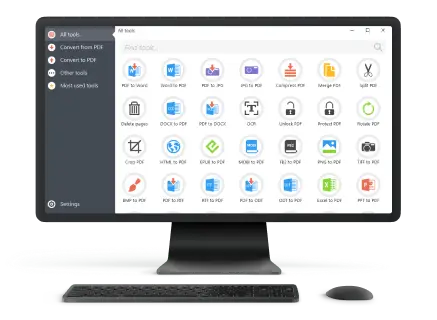
| PDF Candy Desktop. | Windows | Free & Paid options | Intuitive. Great for quick, simple tasks. |
| Adobe Acrobat DC. | Windows, Mac | Subscription | The classic — powerful, full-featured, well-known. Not cheap, but sets the standard. |
| PDF-XChange Editor. | Windows | One-time license | Lightweight, packed with tools. Smart choice if you want value without clutter. |
| Foxit PDF Editor. | Windows, Mac | Subscription or license | Fits both gurus and personal needs. Reliable and flexible. |
| Nitro PDF Pro. | Windows, Mac | One-time license | Focuses on productivity, especially for business. Solid, straightforward. |
| Sejda PDF Desktop. | Windows, Mac, Linux | Free limited / Paid | User-friendly, cloud support, and not intimidating for beginners. |
| Smallpdf Desktop. | Windows, Mac | Subscription | Modern look, streamlined functions, cloud-oriented. |
Limitations:
- Designed primarily for static presentation.
- Requires specialized applications.
What is DOCX format?
Optimal For: Group writing, ongoing refining, and anything that starts from a template.
File format structural characteristics
- Open XML Framework. DOCX isn’t just one thing — it’s actually a zipped bundle of XML. All content, styles, footage, tables, and settings are tucked away inside.
- Formatting Flexibility. Handles any trick you throw at it — tables, charts, SmartArt, headers and footers, macros, references, even audio and video.
- Collaboration. Need a group to pitch in? File extension is built for it — real-time co-authoring, tracked changes, version history, comments — the works.
Storage
- Thanks to ZIP compression, they usually stay lighter than those old-school .doc ones.
- But, fair warning: pile on multimedia or let comments run wild, and the size can balloon swiftly.
Integration
- DOCX format plays well with databases, spreadsheets, and external templates, making automated reports assembly a breeze.
- You’ll find it everywhere, from corporate agreements and legal deeds to school assignments and form letters.
Applications
- Business & Academia. Proposals, manuscripts — anything that demands examining.
- Draft Development. Standardized forms for resumes, letters, newsletters — basically, anything you don’t want to reinvent each time.
Famous DOCX format viewers: table
| Program | Platform | Pricing Model | Notes |
|---|---|---|---|
| Microsoft Word. | Windows, Mac, Web | Pay up (part of Microsoft 365) | Everyone uses it (even if they grumble). Tons of bells & whistles, plays nice with other MS stuff. |
| Google Docs. | Web, Android, iOS | Free, unless you go full Workspace | Collaboration king — edit with friends, enemies, whoever. Lives in the cloud. |
| LibreOffice Writer. | Windows, Mac, Linux | Open source | Geek’s choice. Does almost everything Word can, just with fewer shiny buttons. |
| WPS. | Windows, Mac, Linux, Mobile | Freebie with upgrades | Lightweight, handles DOCX like a champ. |
Limitations:
- Rendering may vary across platforms.
- Security is limited unless additional encryption is applied.
What is JPG image format?
Optimal For: Photographic footage where efficient storage, broad compatibility, and fast online delivery matter most.
File format structural characteristics
- Compression. Relies on the Discrete Cosine Transform (DCT) method — basically, it trims away background noise in your photo to shrink the paper, all while keeping things looking nice.
- Color Depth. Employs 24-bit color, so graphics can show off over 16 million hues. Plenty for vibrant photographs and those subtle gradients.
- Metadata. Stores handy EXIF data like camera settings, date, and location. Perfect if you want to remember how or where a shot was taken.
Performance Considerations
- Small ones mean pictures pop up online almost instantly and don’t hog space.
- Just a heads-up: editing and saving the same JPG over and over will pile on artifacts, making it less crisp over time.
Applications of image file format
- Web and Social Media Content. Ideal for fast-loading, universally supported visuals.
- Photography Archives. Lets you store and share tons of piles without running out of room.
- Digital Communication: Attaching images to emails or chats is a breeze, even with size limits.
Best JPG openers: comparison table
| App | Platform | Notes |
|---|---|---|
| Photos. | Windows | The default Windows viewer — dependable and ready for seamless browsing. |
| Preview. | Mac | Native tool. Handy for light edits and annotations. |
| IrfanView. | Windows | Compact and responsive, offering batch viewing and straightforward adjustments. |
| FastStone. | Windows | Practical and efficient, perfect for slideshows. |
| Adobe Photoshop. | Windows, Mac | Industry-standard powerhouse. Ideal for advanced manipulation. |
| GIMP. | Windows, Mac, Linux | Open-source and feature-rich. Offers extensive capabilities once you get familiar with the interface. |
Limitations:
- Does not support transparency.
File format comparison
| Feature | PDF Files | DOCX | JPG |
|---|---|---|---|
| Editability | Limited modification possible; mainly for minor adjustments. | Extensive capabilities for text and objects. | Fixed content — cannot be altered once saved. |
| Compression Type | Supports both lossless and lossy methods. | Compressed via ZIP-based structure. | Always lossy using Discrete Cosine Transform. |
| Formatting Fidelity | Layout remains fixed. | Appearance may vary depending on software and version. | Not applicable; depends on resolution. |
| Security | High protection with encryption and digital signatures. | Moderate safeguards; password protection possible. | Not built-in. |
| Transparency | Unsupported. | Not available. | Not supported. |
| Primary Use Case | Ideal for archiving, legal forms, official publications. | Suitable for drafting, collaborative work, and templates. | Designed for photographs, online graphics, and image sharing. |
| Storage Efficiency | Moderate file size; balances quality and preservation. | Average; can grow with media and revisions. | Very small; optimized for minimal repository. |
File format differences - conclusion
- PDF: Guarantees precise layout fidelity, robust safeguarding, and long-term reliability.
- DOCX: Ideal for collaborative drafting, dynamic redacting, and leveraging ready-made templates.
- JPG: Suited for distribution — compact pics, wide compatibility across devices, and efficient retention.
In essence, mastering these types of files enables you to optimize workflows, maintain your content, utilize containment effectively, and consistently deliver polished, professional materials across platforms.
Expert Tech Writer